

Description
PCIO VIS Member Event turns your WordPress site into a complete back office for a voluntary organization or association.
It provides a members register, an event calendar with public sign-ups, e-mail and newsletter tools, a document library and a simple finance journal — all built on native WordPress capabilities so access control works with the roles you already use.
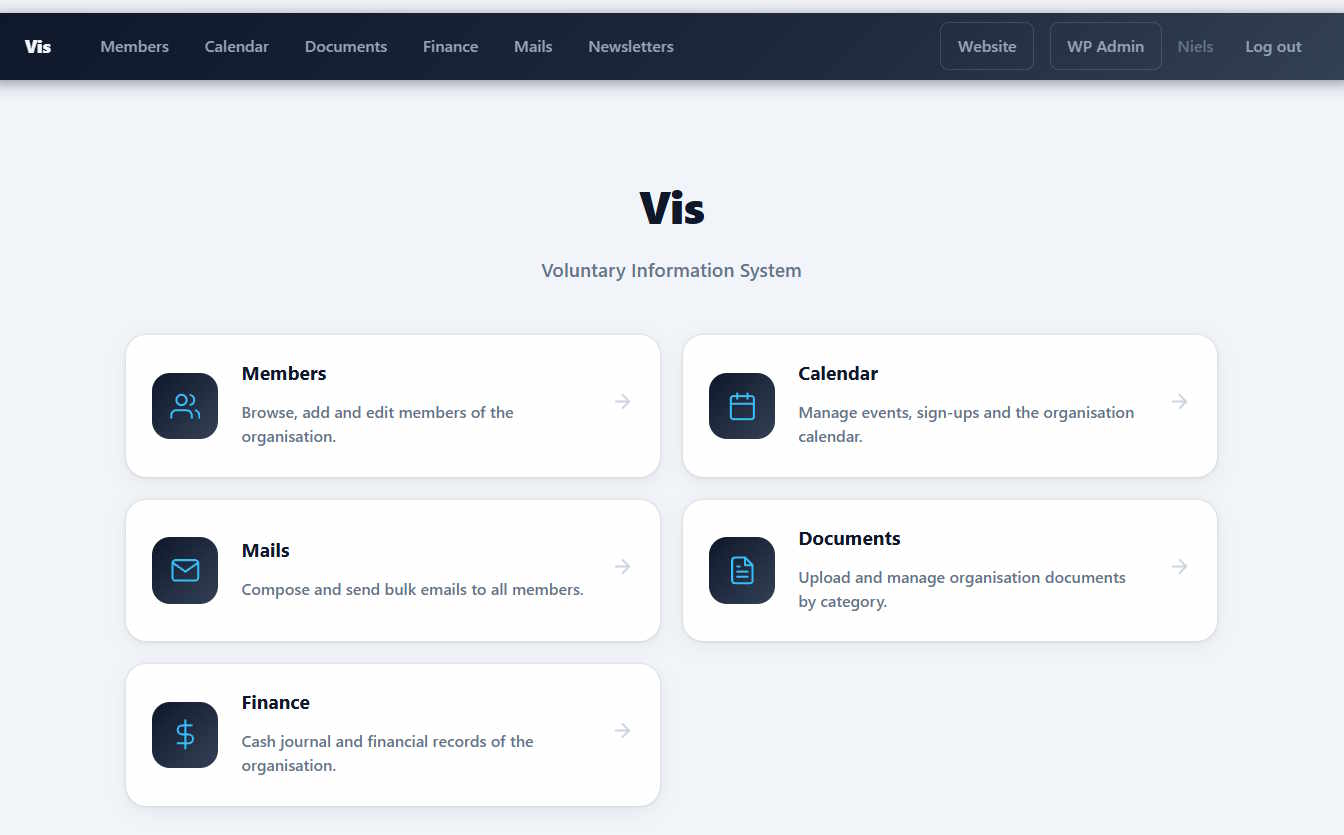
Public pages are served automatically under /vis/; no WordPress pages or shortcodes are required to get started:
- Home (
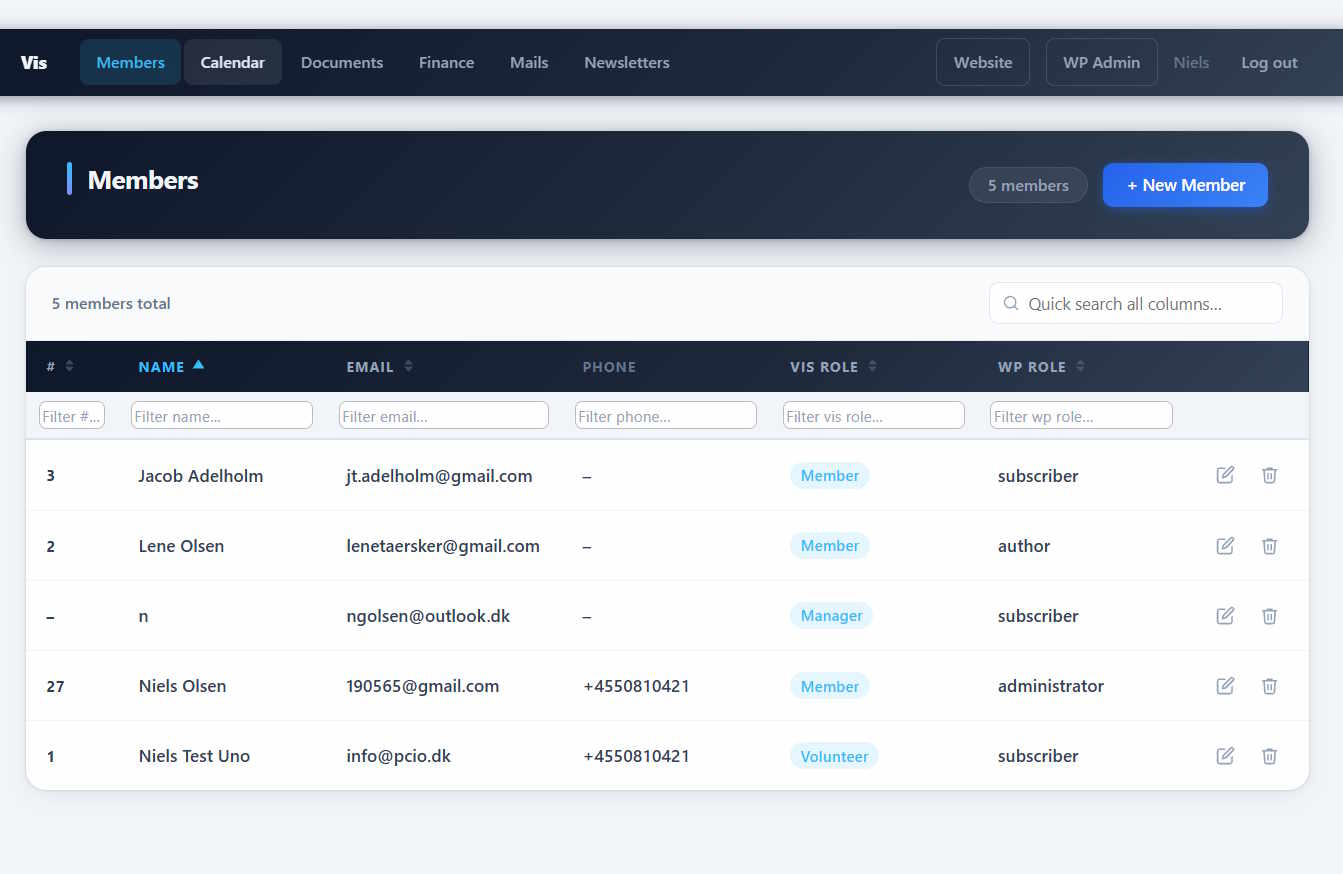
/vis/) — landing page for members. - Members (
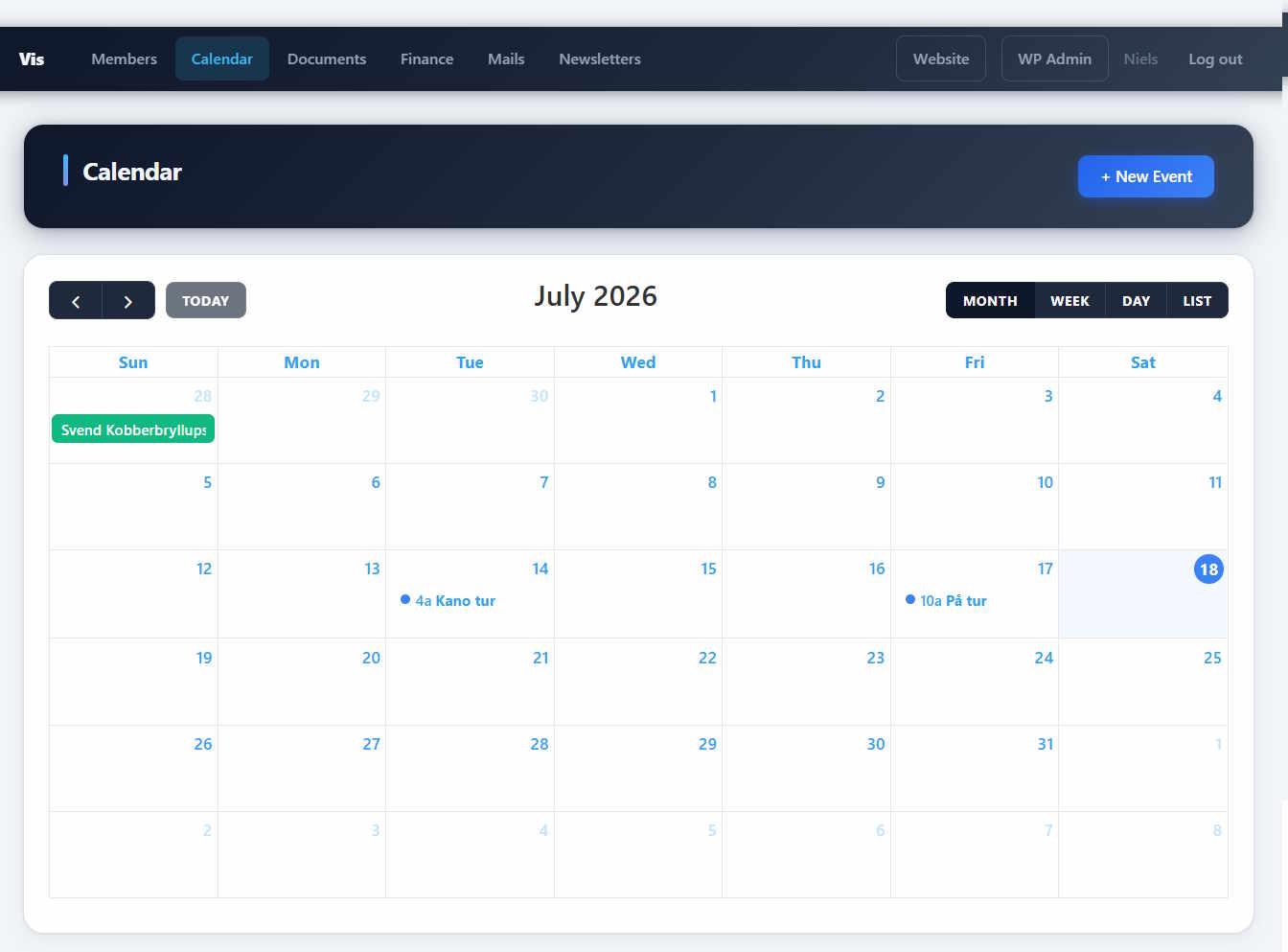
/vis/members) — searchable members directory. - Calendar (
/vis/calendar) — upcoming events with sign-up. - Event (
/vis/events/{id}) — event detail page with banner, description and sign-up box. - Mails (
/vis/mails) — member mailings. - Newsletters (
/vis/newsletters) — public newsletter archive. - Documents (
/vis/documents) — document library grouped by type. - Finance (
/vis/finance) — finance overview for authorized users. - Statistics (
/vis/statistics) — member growth chart, page-view and login counters, and sponsor link click tracking.
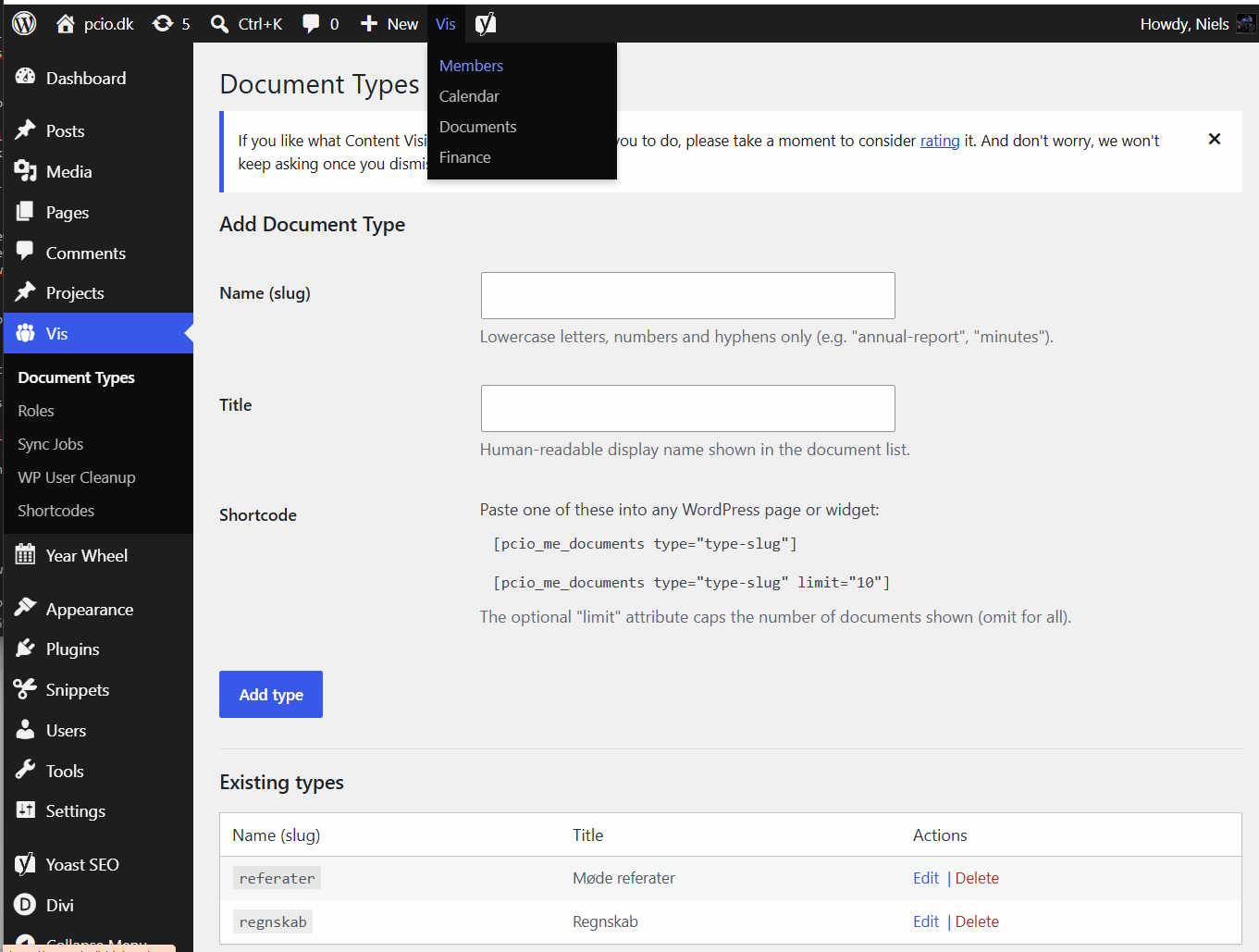
Roles and capabilities. The plugin defines a cumulative set of logical roles — Member, Volunteer, Event Manager, Publisher and System Admin — that map to standard WordPress capabilities. Assign them per WordPress role from Vis Roles:
- Register for events
- Create own events
- Edit own events
- Edit all events
- Publish / manage documents
- Manage members
- Manage settings & mails
- Manage finance
Shortcodes. For themes that prefer to embed content in ordinary pages, the plugin also ships shortcodes: [pcio_me_members], [pcio_me_documents], [pcio_me_edit_profile], [pcio_me_event], [pcio_me_events], [pcio_me_event_roller], [pcio_me_newsletters], [pcio_me_member_count], [pcio_me_member_signup] and [pcio_me_rolling_text]. The [pcio_me_edit_profile] shortcode lets a logged-in member edit their own contact details from any ordinary WordPress page. The [pcio_me_member_count] shortcode displays an animated total member count and can be used in any page builder (e.g. a Divi Text Module); each render increments the front-page-view counter visible on the Statistics dashboard. The [pcio_me_member_signup] shortcode renders a public member registration form that creates the member, provisions a WordPress account and sends an automated welcome email. The [pcio_me_rolling_text] shortcode outputs a scheduled scrolling banner. A Shortcode reference page in the Vis admin documents every shortcode with its attributes and examples.
Extensions. PCIO VIS Member Event is the core plugin for a family of optional add-ons (gallery, products, tickets, project management, home-owner association tools and Conventus sync). The bundled Dompdf and php-qrcode libraries are shared with those extensions for PDF and QR generation.
Screenshots
Installation
- Upload the
pcio-vis-member-eventdirectory to/wp-content/plugins/. - Activate the plugin in Plugins in the WordPress admin.
- Assign capabilities to your WordPress roles under Vis Roles.
- Configure plugin options under the Vis admin menu.
After activation, if /vis/ or an event page returns a 404, go to Settings Permalinks and click Save Changes to flush the rewrite rules.
FAQ
-
Where are the public pages?
-
The plugin registers pages automatically under
/vis/— for examplehttps://yoursite.com/vis/membersandhttps://yoursite.com/vis/calendar. Individual events are available athttps://yoursite.com/vis/events/{id}. -
How do I control who can do what?
-
Access is based on native WordPress capabilities. Open Vis Roles and grant the plugin’s capabilities to your existing WordPress roles. The logical roles (Member, Volunteer, Event Manager, Publisher, System Admin) are cumulative — each level includes the capabilities of the level below.
-
A public page returns a 404.
-
Go to Settings Permalinks and click Save Changes to flush the rewrite rules. This registers the
/vis/routes. -
Does this require any third-party services?
-
No. The core plugin runs entirely on your WordPress site. Optional extensions (such as ticket sales) may integrate with external services.
-
How do I uninstall?
-
Deactivate and delete the plugin from the WordPress admin. To also remove the data, open your database admin tool and drop these tables (replace
wp_with your actual table prefix):wp_me_memberswp_me_member_metawp_me_member_roleswp_me_vis_roleswp_me_eventswp_me_event_signupswp_me_mailswp_me_newsletterswp_me_documentswp_me_document_typeswp_me_finance_journalwp_me_statisticswp_me_sponsor_clickswp_me_rolling_textswp_me_sync
Reviews
There are no reviews for this plugin.
Contributors & Developers
“PCIO VIS Member Event” is open source software. The following people have contributed to this plugin.
Contributors
“PCIO VIS Member Event” has been translated into 1 locale. Thank you to the translators for their contributions.
Translate “PCIO VIS Member Event” into your language.
Interested in development?
Browse the code, check out the SVN repository, or subscribe to the development log by RSS.
Changelog
1.4.0
- Added: Recurring events — a new Recurrence tab on the event editor. Define a repeat rule on the first event in a series (daily, weekly, monthly by weekday, monthly by date, or yearly) and generate linked copies; the series can be navigated, extended or resolved into standalone events. A new database table stores the series rules.
- Added: Upcoming events shortcode —
[pcio_me_upcoming_events]renders a compact, month-grouped agenda list of the next events. Acceptsmonths(how far ahead to look) andlimit(maximum events) attributes. - Added: Membership number — a new “Membership #” field on member records, sortable in the member list and editable from the member dialog. It lets shop subscriptions reference a specific member.
- Added: Event sign-up modes — each event can now choose how people respond: No sign-up (information only), Simple (join / interested / not joining), or Ticket sales when the Tickets extension is active. Choosing No sign-up hides the invitation box entirely on the public event page.
- Added: Rich description editor — the event description editor now supports text and background colour and an Edit HTML toggle for editing the raw source.
- Added: Week numbers — the calendar week view title now shows the ISO-8601 week number (e.g. “Uge 37”).
- Changed: Member deep links —
/vis/members?q=…pre-filters the member list, so links (for example from shop subscriptions) can jump straight to a member. - Changed: public event pages now inherit the active theme’s text colour, so titles and body text stay readable on any page-builder background (e.g. Divi).
- Changed: refreshed the Danish (da_DK) translation and updated the translation template (.pot).
- Fixed: event creation could fail on sites upgraded from older versions whose events table was missing newer columns; the schema now self-repairs on upgrade.
- Fixed: the calendar month title could appear blank or untranslated under Danish; the localised title now renders correctly and is capitalised.
- Fixed: the Edit button on the Calendar Event Types and Resources tabs showed the wrong label in non-English languages.
1.3.0
- Added: Member sign-up — new
[pcio_me_member_signup]shortcode renders a public registration form (name, email, phone, address). It creates the member record, provisions a WordPress account and, with no payment extension active, registers the member immediately. Extensions can inject extra fields and add a payment (checkout) step on submission. - Added: Welcome email & notifications — a “member_welcome” system mail template is seeded under Vis Mails and sent automatically to new members, with tag chips for
{name},{member_number},{site_name}and a one-time set-password{login_url}. Extensions can add their own tags via filters. - Added: Rolling texts — new
[pcio_me_rolling_text]shortcode shows a scrolling banner built from time-scheduled entries. Manage them under Calendar Rolling Texts, where each entry has a Roller ID and a start/stop window; multiple pages can show independent banners. - Added: Shortcode reference — new admin page documenting every shortcode with its attributes, defaults, examples and welcome-email tags, including scroll-spy navigation.
- Added: Volunteers mail group and a Copy emails button on the member and workgroup lists for quick recipient selection.
- Fixed: text overlap and layout issues in the admin UI.
- Changed: refreshed the Danish (da_DK) translation and updated the translation template (.pot).
1.2.0
- Added: Event Types — color-coded categories for calendar events with configurable access level (Public, Members only, Volunteers only). Managed from the Calendar Event Types tab.
- Added: Resources — bookable resources (rooms, equipment, etc.) that can be assigned to events. Conflict detection warns when a resource is already booked for an overlapping event. Managed from the Calendar Resources tab.
- Added: Default resources per event type — define which resources are pre-selected when a new event of that type is created; defaults are applied automatically on event creation.
- Added: Workgroups — new page at
/vis/workgroups/for organizing volunteers into named working groups. Each workgroup can have one or more members flagged as chairman. - Added: Volunteer role — members can be designated as volunteers (
vis_volunteercapability), enabling volunteer-only event access and workgroup membership. - Fixed: “Publish & share” heading was double-escaped and displayed as raw HTML entity in the event editor.
1.1.0
- Added: Statistics dashboard at
/vis/statistics/— grouped bar chart of members joining and leaving by year, front-page-view counter, login counter, and a sponsor link click table. - Added:
join_dateandleave_datedate fields on member records, editable from the member edit dialog and charted on the Statistics dashboard. - Added:
[pcio_me_member_count]shortcode — animated count-up number showing the current total membership. Each page render increments the front-page-view counter. Paste it into any page builder text or code module (e.g. Divi Text Module). - Added: Sponsor link click tracking — add
class="pcio-sponsor-link"to any anchor tag in your content. Click events are captured in the browser and stored; totals appear on the Statistics dashboard. - Fixed: end date/time entered in the calendar create-event dialog was not saved to the event.
- Fixed: clicking a single all-day cell now correctly pre-fills the end date with the same date as the start date.
- Fixed: end-time field was not hidden when the “All day” checkbox was ticked.
- Fixed: member list was not refreshed in the browser after a member was successfully deleted.
- Fixed: document list shortcode displayed a bullet point before each document link.
- Changed: WP Role column removed from the member list; the WordPress account status is now shown only as a “Create WordPress login” button in the edit dialog when no account exists yet.
- Changed: the edit-member icon in the member list is now shown only to users with the
vis_manage_userscapability; plain members use the new profile shortcode instead. - Added:
[pcio_me_edit_profile]shortcode — lets a logged-in member edit their own name, email, phone, address and custom fields from any WordPress page.
1.0.0
- Initial release.
- Members register with custom member fields and roles.
- Event calendar with public sign-ups and per-event banner/thumbnail images.
- Member mailings and public newsletter archive.
- Document library grouped by type, backed by the WordPress media library.
- Finance journal.
- Capability-based access control with cumulative logical roles (Vis Roles).
- Automatic public pages under
/vis/plus shortcodes for embedding in themes.