
Description
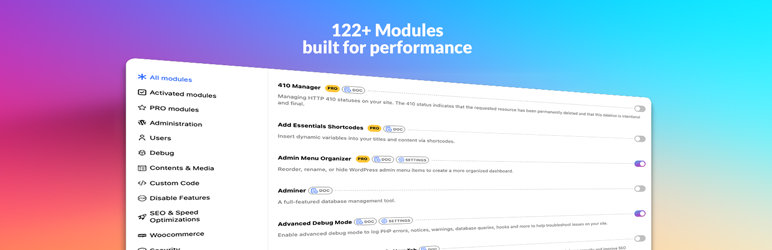
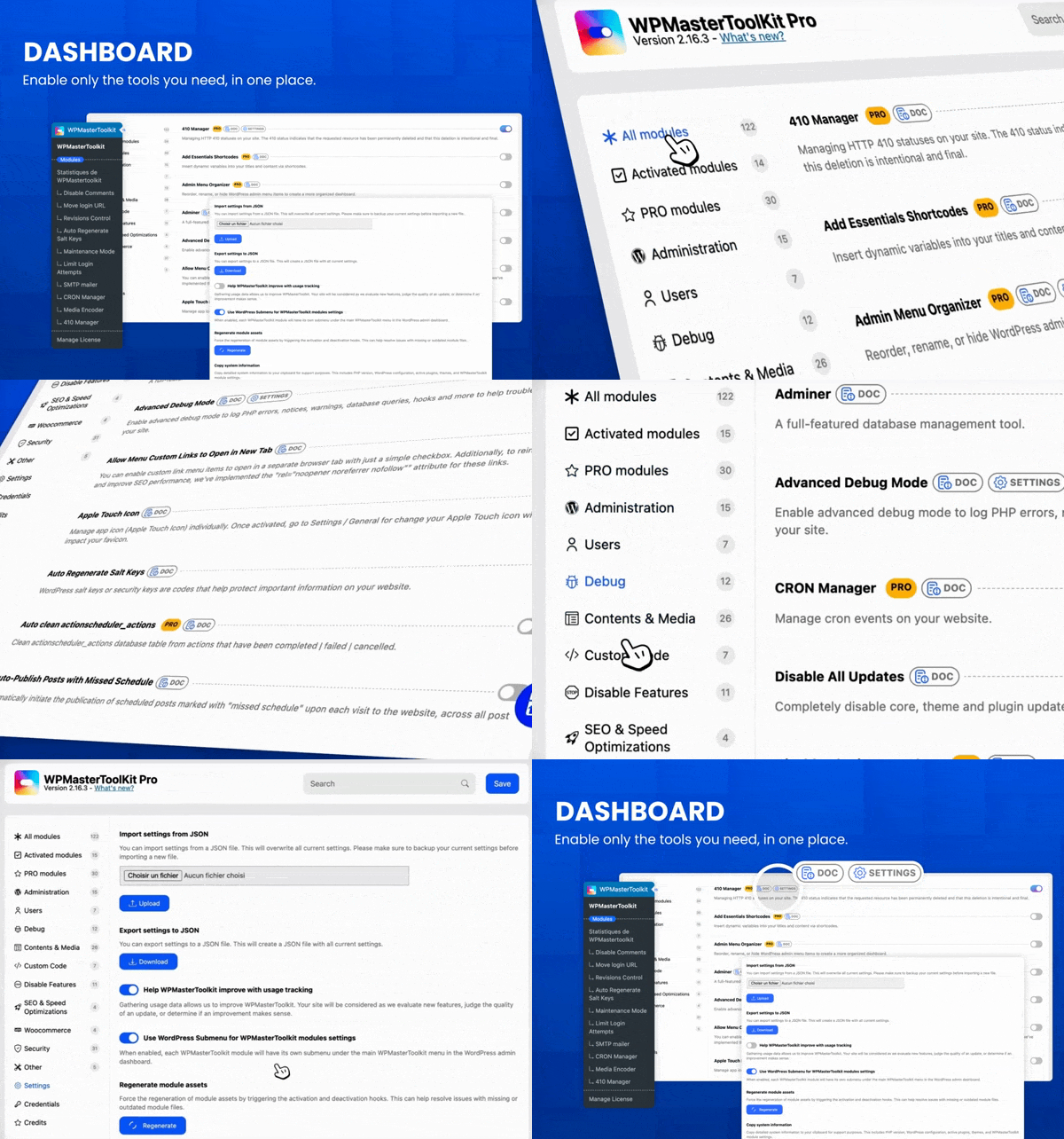
WPMasterToolKit is an all-in-one WordPress plugin that replaces dozens of separate plugins with 100+ modular tools for security, performance, administration, media and development.
Activate only what you need and manage everything from one place. Built for site owners, freelancers, developers and agencies.
98 free modules, plus 37 advanced modules and additional features with WPMasterToolKit Pro.
Review by Alexis Fichou (WP-Origami):
Review by Enzo (Easy WordPress):
98 free modules
Administration
* Clean Up Admin Bar
* Disable Dashboard Widgets: Clean up the dashboard by disabling widgets that load unnecessary assets.
* Enhance List Tables: Add or remove columns in post type, taxonomy, media, comment and user list tables.
* Heartbeat Control: Modify or disable the WordPress Heartbeat API to reduce server CPU usage.
* Hide Admin Bar
* Hide Admin Notices
* Log In/Out Menu
* Maintenance Mode
* Password Protection
* Plugin & Theme Rollback
* Redirect After Login
* Redirect After Logout
* Social Login
* Wider Admin Menu
Users
* Clean Profiles
* Export Users
* Last Login Column
* Local Avatars
* Multiple User Roles
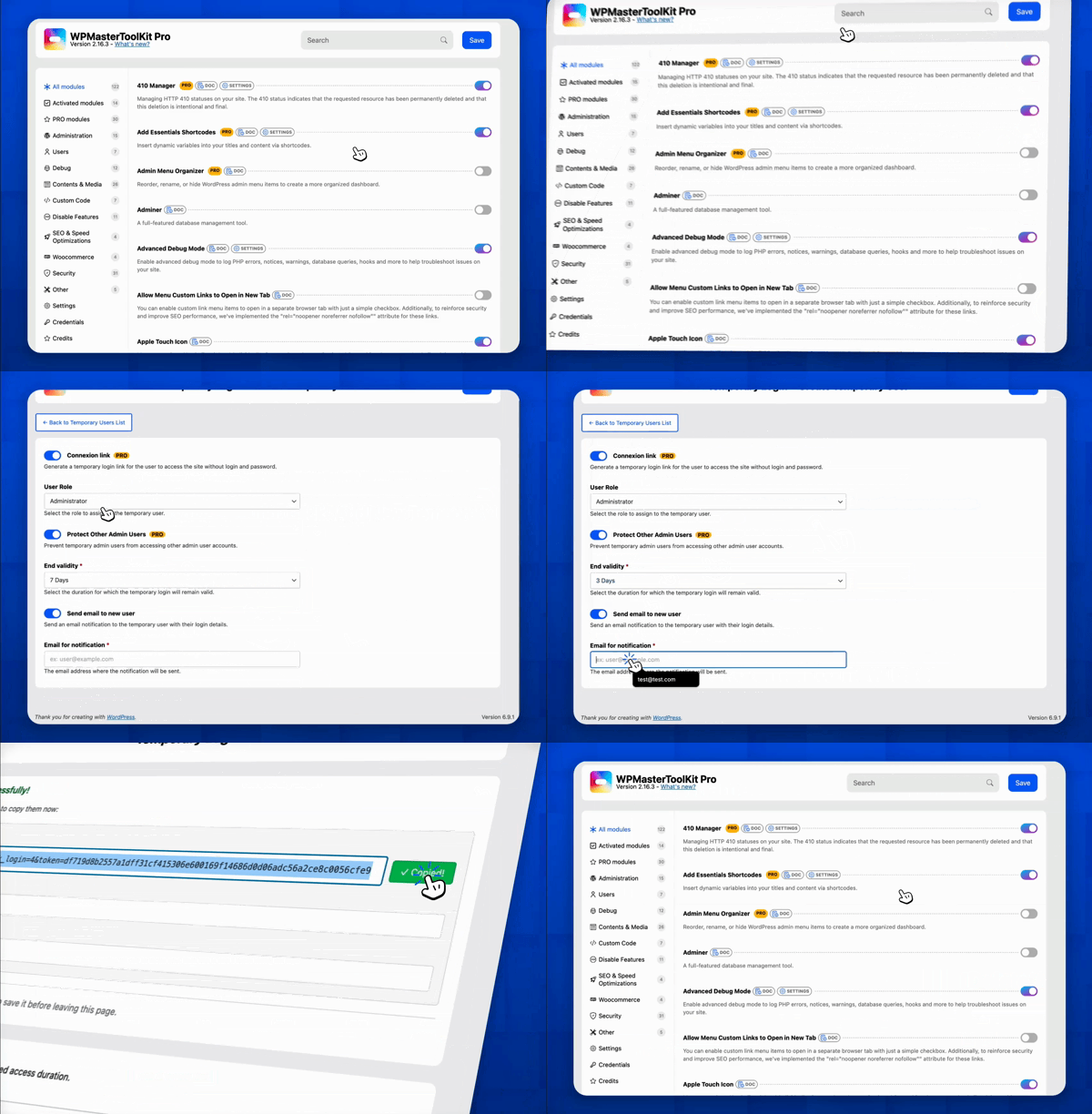
* Temporary Login
Debug
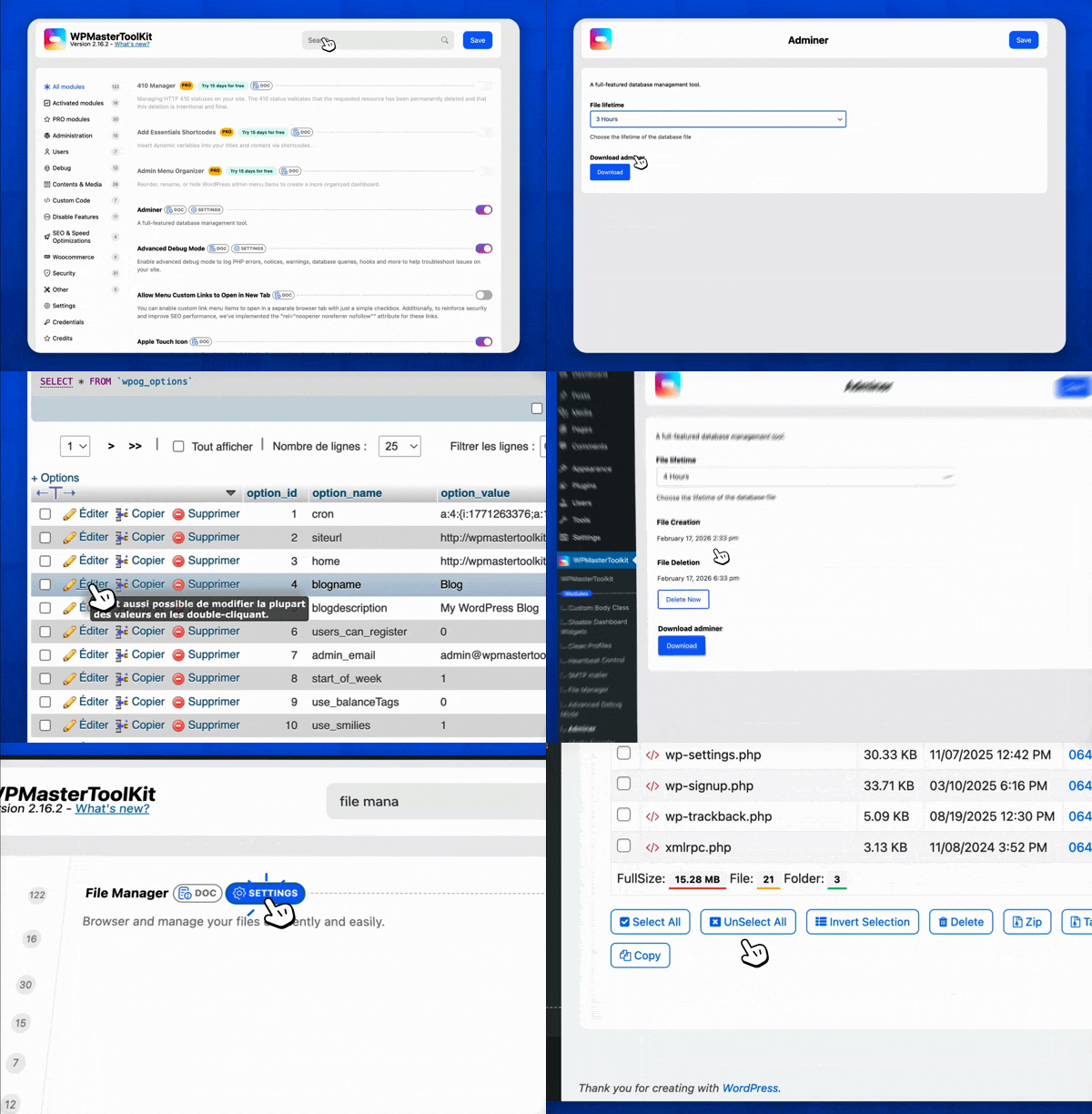
* Adminer
* Advanced Debug Mode
* Disable All Updates
* Disable wp_mail
* File Manager
* Mail Catcher
* Meta Debugger
Contents & Media
* Allow Menu Custom Links to Open in New Tab
* Auto-Publish Posts with Missed Schedule
* Browser Theme Color
* Content Duplication
* Content Order
* Duplicate Menu
* Export Posts & Pages
* External Permalinks
* Image Upload Control
* Media Cleaner
* Media Encoder: Convert images to WebP locally. AVIF conversion is available in Pro.
* Media Library & Post Folders
* Nav Menu Visibility
* Obfuscate Email Addresses
* Open All External Links in New Tab
* Post Per Page
* Quick Add Post
* Redirect 404 to Homepage
* Register Custom Content Types
* Revisions Control
* Search Replace in Database
* SVG Upload
Custom Code
* Code Snippets
* Custom Admin CSS
* Custom Body Class
* Custom Frontend CSS
* Insert <head>, <body> and <footer> Code
* Manage ads.txt and app-ads.txt
* Manage robots.txt
Disable Features
* Disable Block-Based Widgets Settings Screen
* Disable Dashicons CSS and JS Files
* Disable Emoji Support
* Disable Feeds
* Disable Gutenberg
* Disable jQuery Migrate
* Disable Really Simple Discovery (RSD) <link> Tag
* Disable REST API
* Disable Windows Live Writer (WLW) Manifest <link> Tag
* Disable WordPress Shortlink <link> Tag
SEO & Speed Optimizations
* Disable WP Sitemap
* Redirect Manager
WooCommerce
* Disable Cart Fragments Scripts
Security
* Auto Regenerate Salt Keys
* Ban Emails
* Blacklisted Usernames
* Block 404 PHP File Scanning
* Block User Registration from Disposable Email
* Custom COOKIEHASH
* Disable XML-RPC
* Disallow Bad Requests
* Disallow Directory Listing
* Disallow Malicious File Access in Uploads
* Disallow Plugin Upload
* Disallow Theme Upload
* Disallow User Registration
* Disallow WP File Edit
* Force SSL
* Force Strong Password
* Hide Login Errors
* Hide PHP Version
* Hide WordPress Version
* Limit Login Attempts
* Lock Admin Email
* Lock Site URL
* Move Login URL
* Obfuscate Author Slugs
* Prevent User Enumeration
* Protect Website Headers
Other
* Apple Touch Icon
* Child Theme Generator
* SMTP Mailer
37 Pro modules
Administration
* Admin Menu Organizer
* Custom Login Design
* Disable Blog
* Local Google Fonts
* White Label
Users
* User Switching
Debug
* CRON Manager
* Disable Plugin for Debug
* Force Send All Email To
* Hook and Filter Debugger
* Update Logs
Contents & Media
* Add Essential Shortcodes
* Download Media as ZIP
* Generate Alt Text with AI
* Media Replacement
* Media Trash
* No Theme Switch
* Paste Image in Media
* Post Type Switcher
Custom Code
* Pixel Tag Manager
Disable Features
* Disable Comments
SEO & Speed Optimizations
* 410 Manager
* Head Sorter
* Link Shortener
WooCommerce
* Auto Clean Action Scheduler Actions
* Disable WooCommerce Logout Confirmation
* My Account Menu Customizer
Security
* Better Password Hash
* Disallow Access to Sensitive WordPress Files
* Disallow Countries by IP
* Manage Admin Email Notifications
* No Plugin Activation, Deactivation or Deletion
* Password Expiration
* Two-Factor Authentication
* Vulnerability Scan
Other
* Change Database Prefix
* Plugin Download
Additional Pro features
- Move Login URL: Block access to /wp-admin with server side 403 error for non-logged users.
- Maintenance Mode: Real countdown timer with automatic site activation. Bypass link generation for access during maintenance. Exclude specific URLs from maintenance mode.
- Media Encoder: Convert images to AVIF format (PHP ≥ 8.1). Free version limited to WebP only.
- Mail Catcher: Unlimited email capture. Free version limited to 5 emails per day.
- Advanced Debug Mode: Live log streaming viewer with real-time monitoring. Daily logs with date suffix. Custom log path with enhanced protection.
- Search Replace in database: several search/replace pairs, support for regular expressions and a much more complete detailed overview of detected changes.
- SMTP Mailer: 19+ premium providers including Gmail, Outlook, SendGrid, AWS SES, Brevo, Mailgun, Mailjet, Postmark, SparkPost, MailerSend, Resend, SendLayer, SMTP.com, SMTP2GO, Elastic Email, Zoho Mail, SendPulse, Mandrill, and Pepipost. Free version limited to PHP mail and generic SMTP.
- Redirect Manager: Advanced redirect engines (Apache and Nginx), redirect logs, and CSV import/export. Free version limited to WordPress (PHP) redirects without logs/import-export.
Upgrade to WPMasterToolKit Pro
External services
WPMasterToolKit does not connect every website to external services by default. Some optional modules can communicate with third-party providers only when you enable and configure them, for example SMTP and email providers, social login services, geolocation databases, vulnerability data sources, analytics platforms or AI services. The data transmitted depends on the selected module and provider. Review the module settings and the provider’s terms and privacy policy before enabling an integration.
Support
For help with the free plugin, bug reports and feature requests, use the WPMasterToolKit support forum on WordPress.org. Please include your WordPress version, PHP version, enabled WPMasterToolKit modules and clear steps to reproduce the issue. Security vulnerabilities must be reported privately using the process described in the FAQ below.
More plugins by Webdeclic
Screenshots

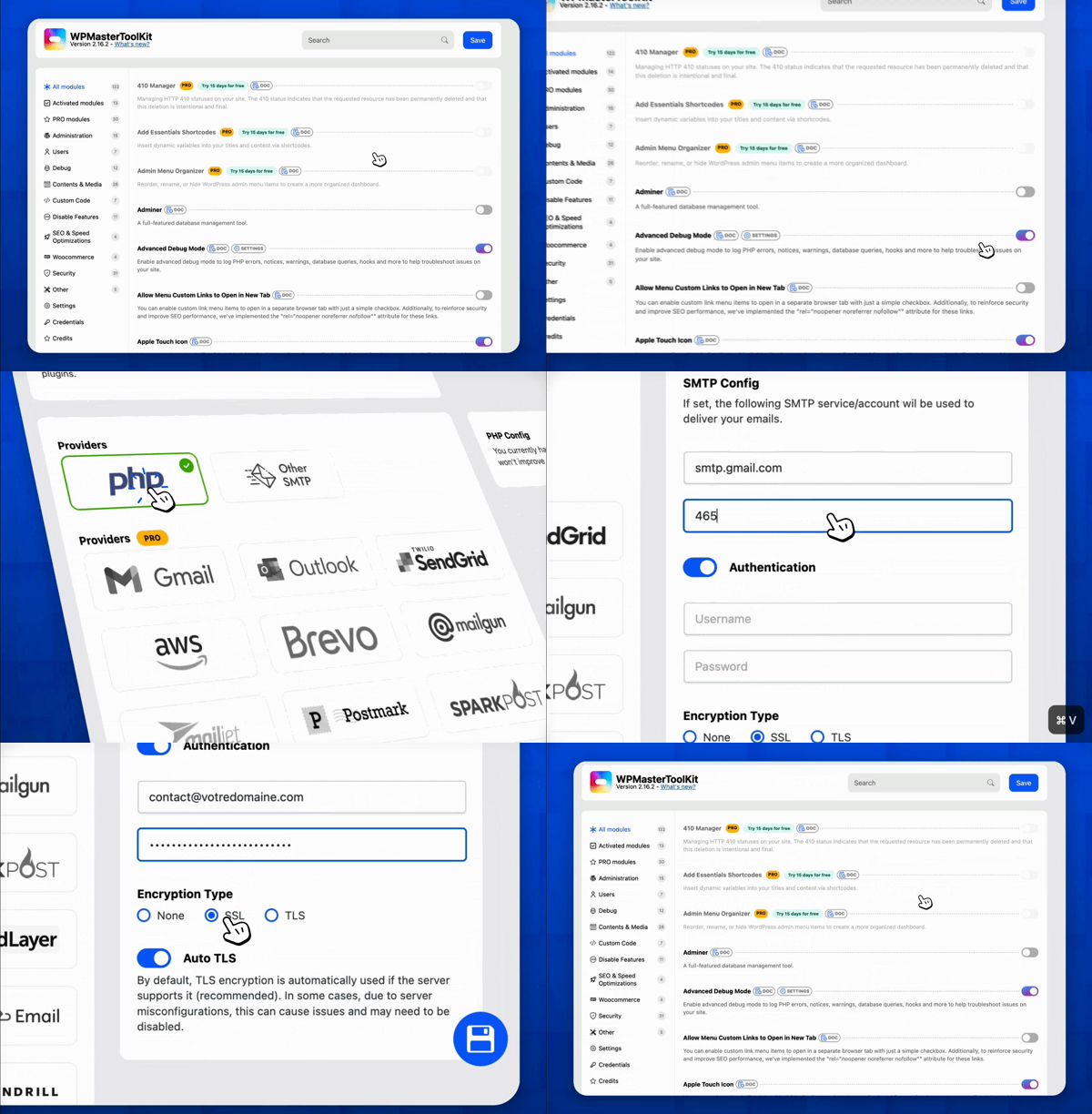


Installation
Install from the WordPress dashboard
- In your WordPress dashboard, go to Plugins > Add New Plugin.
- Search for WPMasterToolKit.
- Click Install Now, then click Activate.
- Open WPMasterToolKit from the WordPress admin menu.
- Browse the available modules and enable only the features your website needs.
- Open each enabled module to review and save its settings.
Manual installation
- Download the WPMasterToolKit ZIP file.
- In WordPress, go to Plugins > Add New Plugin > Upload Plugin.
- Select the ZIP file, click Install Now, then activate the plugin.
Alternatively, extract the ZIP file and upload the wpmastertoolkit folder to /wp-content/plugins/ using SFTP or your hosting file manager. Then activate WPMasterToolKit from the Plugins screen.
Recommended setup
WPMasterToolKit is modular: no module is enabled automatically. Start with the tools you need and avoid enabling features already provided by another active plugin, such as SMTP, redirects, login protection, image optimization or code snippets.
Create a full backup before using modules that modify files or database content. For production websites, test security, performance, database and login-related changes on a staging site first. After configuration, clear any page, object or CDN cache and verify the frontend, WordPress login, forms, email delivery and critical WooCommerce pages.
FAQ
-
What is WPMasterToolKit?
-
WPMasterToolKit is a modular all-in-one WordPress plugin for site administration, security, performance, media, email delivery and development. It brings together 100+ tools in one dashboard, including code snippets, content duplication, SMTP, WebP conversion, login protection, redirects and database utilities.
-
Is WPMasterToolKit free?
-
Yes. The free version includes 98 modules for WordPress administration, security, performance, media management and development. WPMasterToolKit Pro adds 37 advanced modules and premium features such as two-factor authentication, vulnerability scanning, AVIF conversion, advanced SMTP providers, White Label and Pixel Tag Manager.
-
Do I have to enable every module?
-
No. WPMasterToolKit is modular, so you can enable only the features you need. Disabled modules do not load their feature logic on your website. This also helps prevent conflicts caused by activating overlapping tools.
-
Will WPMasterToolKit slow down my website?
-
WPMasterToolKit is designed to load modules only when they are enabled. Actual performance depends on your hosting, theme, other plugins and the modules you select. Several tools can also help reduce frontend work, including Heartbeat Control, WebP image conversion and options to disable emojis, cart fragments, Dashicons or jQuery Migrate when they are not needed.
-
Can WPMasterToolKit improve WordPress SEO?
-
WPMasterToolKit is not a replacement for a dedicated WordPress SEO plugin, but it includes technical tools that can support SEO and website performance. These include WebP and AVIF image optimization, robots.txt management, redirect management, media metadata tools, local Google Fonts, external link attributes and control over the default WordPress sitemap.
-
Can WPMasterToolKit replace other WordPress plugins?
-
It can replace multiple single-purpose plugins when its modules cover the features you use. Common examples include plugins for duplicate posts, SMTP email, code snippets, WebP conversion, login URL changes, login attempt limits, redirects, maintenance mode, SVG uploads and child theme generation. Test changes on a staging site and avoid running two plugins that provide the same feature.
-
Can WPMasterToolKit replace a WordPress security plugin?
-
WPMasterToolKit includes security hardening tools such as Limit Login Attempts, Move Login URL, strong password enforcement, user enumeration protection, XML-RPC control, security headers and file access restrictions. These features can replace several security tweaks, but they are not a guarantee against every threat and may not replace a dedicated firewall, malware scanner, backup service or security monitoring platform for high-risk websites.
-
How do I change or hide the WordPress login URL?
-
Enable the Move Login URL module and choose a custom login path. The module changes access to the default WordPress login URL to reduce automated login traffic. WPMasterToolKit Pro can additionally block unauthenticated access to
/wp-adminwith a server-side 403 response. -
How do I disable XML-RPC in WordPress?
-
Enable the Disable XML-RPC module from the WPMasterToolKit dashboard. Disabling XML-RPC can reduce exposure to attacks that target this legacy interface, but first confirm that your mobile app, remote publishing service or integration does not depend on it.
-
Can I disable the WordPress REST API for logged-out visitors?
-
Yes. The Disable REST API module restricts REST API access for unauthenticated visitors and removes related discovery links. Because themes, plugins and external applications may rely on the REST API, test this setting before using it on a production website.
-
Can I convert WordPress images to WebP or AVIF?
-
Yes. The Media Encoder module converts images locally on your WordPress server instead of sending them to an external optimization service. The free version supports automatic WebP conversion, while WPMasterToolKit Pro adds AVIF conversion on compatible servers running PHP 8.1 or later.
-
How do I configure WordPress SMTP email?
-
Enable SMTP Mailer, enter the sender details and SMTP credentials, then send a test email from the module settings. The free version supports PHP mail and generic SMTP. WPMasterToolKit Pro adds integrations for 19+ providers, including Gmail, Outlook, SendGrid, AWS SES, Brevo, Mailgun, Mailjet, Postmark and Resend.
-
Does WPMasterToolKit work with WooCommerce?
-
WPMasterToolKit includes WooCommerce-specific tools such as disabling cart fragments for logged-out visitors, removing the logout confirmation and customizing the My Account menu. It also uses standard WordPress and WooCommerce APIs where applicable. As with any plugin stack, test checkout, account and caching behavior on a staging site after enabling performance or WooCommerce modules.
-
Can I disable the Gutenberg block editor?
-
Yes. The Disable Gutenberg module can restore the classic editor for selected post types or disable the block editor more broadly. This gives you control over where Gutenberg is used without modifying your theme.
-
Can I duplicate WordPress posts, pages and custom post types?
-
Yes. Content Duplication adds one-click duplication for posts, pages and custom post types. It also copies associated taxonomy terms and post metadata, which is useful for reusing page structures, product content and custom content templates.
-
Can I add WordPress code snippets without editing functions.php?
-
Yes. Code Snippets lets you manage reusable PHP code from the WordPress dashboard without editing your theme’s
functions.phpfile. Snippets can also contain CSS inside<style>tags or JavaScript inside<script>tags. Incorrect custom code can break a website, so validate snippets and test them on staging first. -
Can I manage the WordPress database without phpMyAdmin?
-
Yes. The Adminer module provides a database management interface inside WordPress for browsing tables and running database operations. Database changes can be destructive, so restrict access to trusted administrators and create a complete backup before editing data or running SQL queries.
-
Can I create a WordPress child theme?
-
Yes. Child Theme Generator creates a child theme from the active theme directly in the WordPress dashboard. After generation, you can disable the module because the child theme continues to work independently.
-
Can I upload SVG files to WordPress?
-
Yes. The SVG Upload module enables SVG media uploads and validates SVG file content. Because SVG is an XML-based format that can contain active content, only trusted users should be allowed to upload files.
-
Does WPMasterToolKit include a WordPress redirect manager?
-
Yes. The free Redirect Manager supports WordPress/PHP redirects. WPMasterToolKit Pro adds Apache and Nginx redirect engines, redirect logs and CSV import/export. Redirects should be tested carefully to avoid loops and inaccessible pages.
-
Does WPMasterToolKit work with multisite installations?
-
WPMasterToolKit includes multisite-aware behavior in several modules, but support can vary by feature. Test each required module on a staging network before network activation, especially modules that modify files, login URLs, media settings or database content.
-
Is WPMasterToolKit compatible with Elementor, Divi and other page builders?
-
WPMasterToolKit uses standard WordPress hooks and is designed to work alongside popular themes and page builders. Tools such as content duplication, custom body classes and custom frontend CSS can complement page-builder workflows. Compatibility can still depend on the specific modules and third-party extensions enabled, so test important pages after configuration changes.
-
How often is WPMasterToolKit updated?
-
WPMasterToolKit is regularly updated with new modules, improvements, security hardening, bug fixes and compatibility changes. Review the changelog before updating production websites and use a staging environment for business-critical sites.
-
How can I report a security vulnerability?
-
Please report security issues privately through the Patchstack Vulnerability Disclosure Program. The Patchstack team helps validate, triage and coordinate security reports. Do not publish vulnerability details before a fix is available. Report a security vulnerability.
Reviews


Contributors & Developers
“WPMasterToolKit (WPMTK) – All in one plugin” is open source software. The following people have contributed to this plugin.
Contributors
Translate “WPMasterToolKit (WPMTK) – All in one plugin” into your language.
Interested in development?
Browse the code, check out the SVN repository, or subscribe to the development log by RSS.
Changelog
2.25.0
Add: Pro Module: Local Google Font: Host Google Fonts locally to improve performance and comply with privacy regulations.
Add: Pro Module: Media Trash: Manage and restore deleted media items from the WordPress media trash.
Add: Pro Module: No Theme Switch: Lock the active theme by preventing users from switching themes.
Add: Pro Module: Pixel Tag Manager: Manage Google Analytics, Google Tag Manager, Google Ads, Meta, TikTok, LinkedIn, Microsoft UET and Pinterest tracking tags, with consent controls and event configuration.
Update: Module: Child Theme Generator: Respect theme-switching capabilities, safely handle generation actions and provide clearer generation status feedback when activation is unavailable.
2.24.0
Add: Pro Module: White Label: Customize the plugin name and control which users can access the plugin.
Add: Pro Module: Disable Blog: Disable blog features and related WordPress functionality while preserving selected content and access rules.
Update: Module: Media Library Post Folders: Add folder sidebar support to media modals opened from individual post editing screens.
Update: Pro Module: Two-Factor Authentication: Improve form submission handling, modal state management, validation, and error feedback.
2.23.2
Update: Module: Meta Debugger: Improve metadata display and error handling, and remove the json-view dependency.
Fix: Module: Code Snippets: Improve generated PHP docblock formatting for multiline values and comment delimiters, use raw titles and saved descriptions, and leave descriptions empty when no excerpt is set.
Fix: Module: Social Login: Correct the user meta key used to retrieve stored avatar hashes.
Fix: Module: Limit Login Attempts: Prevent errors when failed-login hooks are triggered without an authentication error argument.
Security: Module: Meta Debugger: Strengthen object-level permission checks and WooCommerce object validation, and safely handle serialized metadata without instantiating objects.
Security: Module: SVG Upload: Validate file contents to block SVG uploads through unsupported upload methods, regardless of the filename extension.